




How to Choose the Right Connectors, Adapters, and Extension Cables
In today’s interconnected world, the right cables and adapters are crucial for ensuring seamless communication between devices. Whether you’re setting up a home office, gaming rig, or multimedia system, selecting the appropriate connectors, adapters, and extension cables can save you time, money, and frustration. Here’s a comprehensive guide to help you make informed choices.
1. Understand Your Device Requirements
Before purchasing, identify the ports and interfaces on your devices. Common types include:
- USB (USB-A, USB-B, USB-C, Micro-USB, Mini-USB)
- Video/Display (HDMI, DisplayPort, VGA, DVI)
- Audio (3.5mm jack, optical, RCA)
- Networking (Ethernet/RJ45)
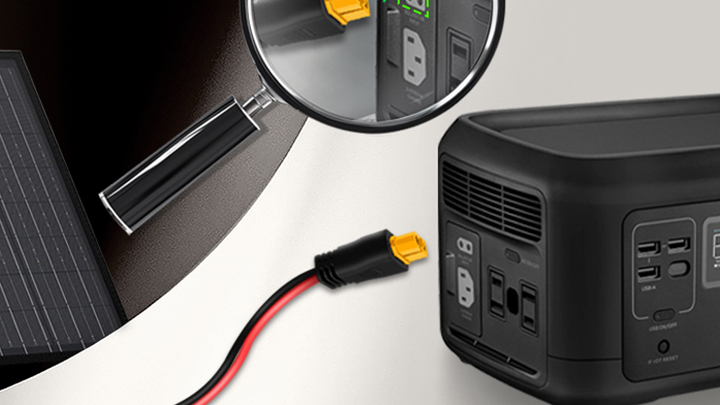
- Power (AC/DC connectors, barrel plugs, IEC cables)
Check the specifications of your devices (e.g., USB 3.0 vs. USB 2.0, HDMI 1.4 vs. HDMI 2.1) to ensure compatibility and optimal performance.
2. Connectors: Ensure a Secure and Reliable Link
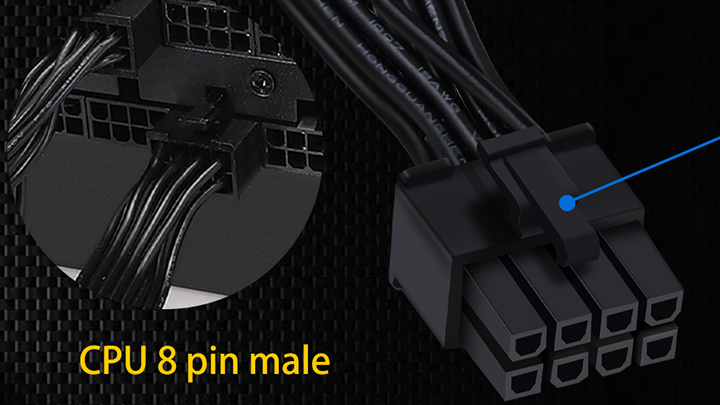
- Build Quality: Look for connectors with sturdy housings (preferably metal or reinforced plastic), corrosion-resistant contacts (gold-plated options offer better conductivity and durability), and strain relief to prevent cable damage.
- Shielding: Shielded connectors reduce electromagnetic interference (EMI), which is vital for audio/video and high-speed data cables.
- Locking Mechanisms: For critical connections (e.g., industrial or stage equipment), consider connectors with screw locks or latches to prevent accidental disconnection.
3. Adapters: Bridging Compatibility Gaps
Adapters convert one interface to another (e.g., USB-C to HDMI, DisplayPort to VGA). When choosing:
- Active vs. Passive: Active adapters have built-in electronics to boost or convert signals, necessary for protocols like DisplayPort to HDMI. Passive adapters work for simpler, pin-compatible conversions.
- Power Delivery (PD): For USB-C adapters, ensure they support adequate power delivery if charging devices.
- Data/Video Standards: Verify the adapter supports the required standards (e.g., 4K@60Hz for video, USB 3.1 speeds for data).
4. Extension Cables: Extending Reach Without Compromising Performance
- Cable Length: Longer cables can lead to signal degradation. For high-speed data (USB 3.0+, HDMI 2.0+) or high-resolution video, adhere to recommended maximum lengths (e.g., typically 2 meters for USB 3.0 without active extension).
- Cable Gauge (for power extensions): Thicker wires (lower AWG number) minimize voltage drop over distance, crucial for powering devices.
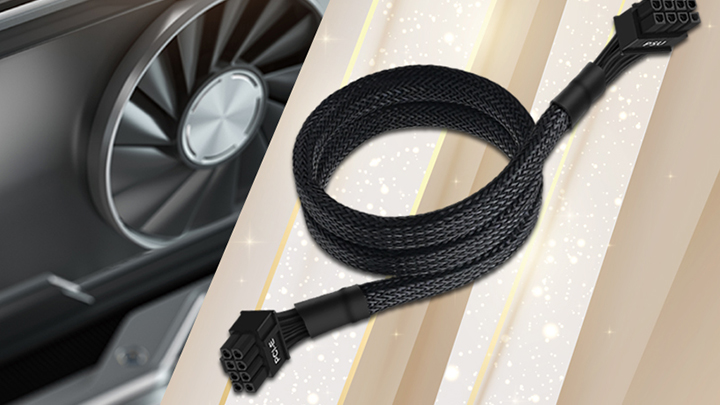
- Shielding and Construction: Choose cables with multiple layers of shielding (foil + braid) for sensitive signals. Look for durable jackets suitable for your environment (e.g., braided nylon for flexibility and wear resistance).
- Active Extension Cables: For longer distances, active cables include built-in signal amplifiers or repeaters to maintain integrity.
5. Performance and Certification
- Certifications: Look for certifications from relevant standards bodies (e.g., USB-IF for USB, HDMI Licensing for HDMI). Certified products undergo testing for compliance and interoperability.
- Bandwidth and Speed Ratings: Match the cable’s rated bandwidth (e.g., 18 Gbps for HDMI 2.0, 40 Gbps for Thunderbolt 3) to your device’s requirements.
- Power Capacity: For power cables or cables carrying power (like USB-C), check current ratings (Amps) and voltage to ensure safe and adequate power delivery.
6. Safety and Durability
- Safety Certifications: For power-related items, look for safety marks (UL, CE, RoHS) indicating compliance with electrical and environmental standards.
- Durability Features: Consider cables with reinforced connectors, flexible yet tough jacket materials, and a reputation for longevity—especially if they will be frequently plugged/unplugged or used in demanding environments.
7. Brand and Reviews
- Reputable Brands: Established brands often provide better quality assurance, accurate specifications, and customer support.
- User Reviews: Read reviews focusing on real-world performance, durability, and any compatibility issues with devices similar to yours.
8. Special Use Cases
- Outdoor/Industrial Use: Choose cables with UV-resistant, waterproof jackets (IP ratings) and robust connectors.
- Gaming/VR: Prioritize low-latency, high-refresh-rate support (e.g., HDMI 2.1 for 4K@120Hz) and tangle-free designs.
- Content Creation: For audio/video production, invest in professional-grade cables with high shielding and precise impedance matching.
Checklist for Quick Reference
- Identify device ports and required specifications.
- Match connector types and versions (e.g., USB 3.2 Gen 2).
- Choose adapters with active conversion if needed; verify power and protocol support.
- Select extension cables with appropriate length, gauge, and shielding.
- Verify certifications and performance ratings.
- Prioritize build quality and safety marks.
- Read reviews and consider reputable brands.
- Consider environmental needs and special use cases.
By taking a systematic approach, you can ensure that your connectors, adapters, and extension cables not only fit physically but also deliver the performance and reliability your setup demands. Investing a little time in selection can prevent headaches and ensure a smooth, efficient connection between all your devices.